
We use cookies to improve your experience and analyse site traffic. By clicking "Accept", you consent to our use of analytics cookies. Privacy Policy

SalesSynq Logo
HomeWho we serveWhat we doPricingSecurityPrivacyTalk to usMore
HomeWho we serveWhat we doPricingSecurityPrivacyTalk to us
Cross-lifecycle revenue intelligence

Find where the pipeline story and customer evidence disagree.

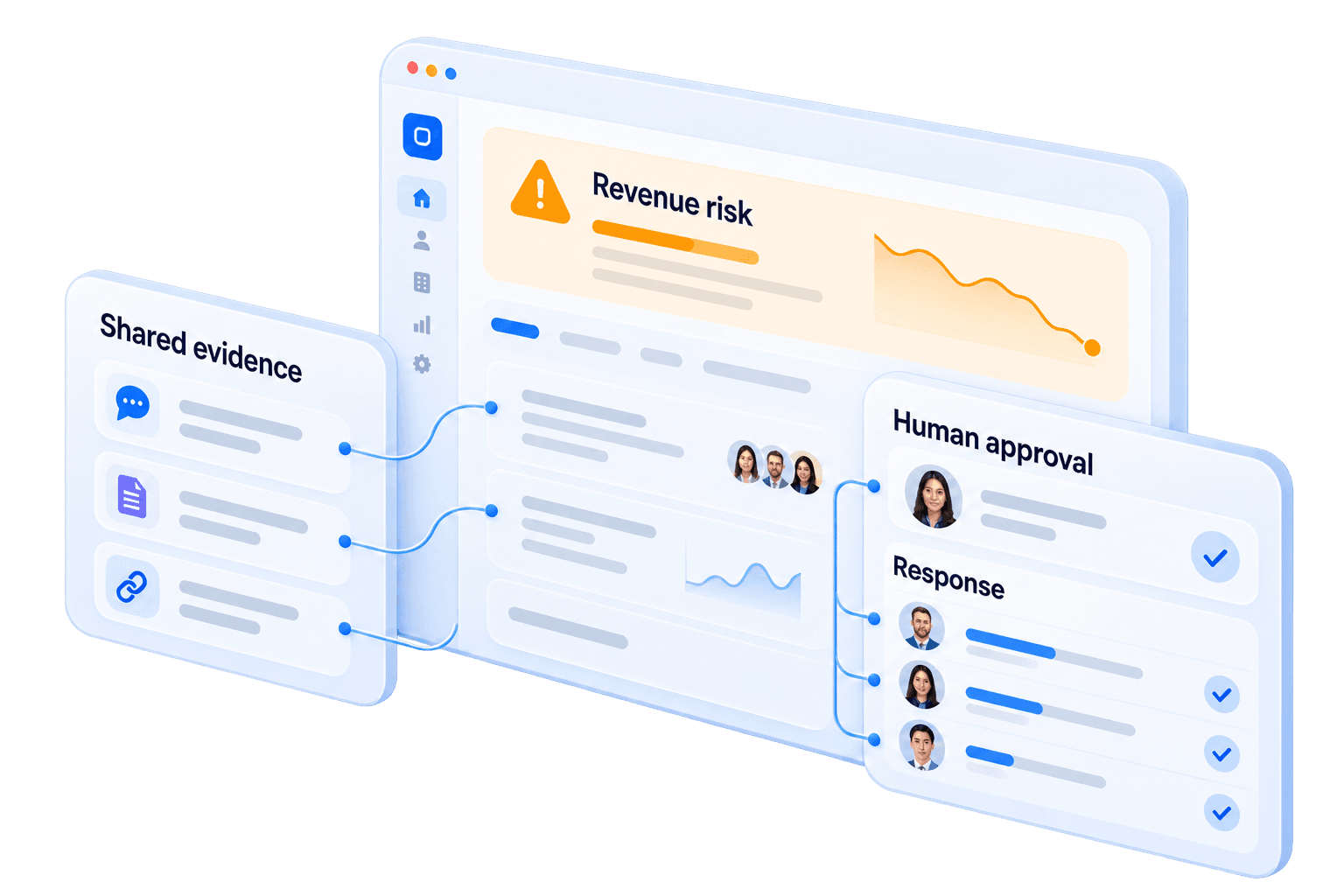
SalesSynq checks CRM claims against available buyer, support, delivery and activity evidence, shows which revenue risk deserves inspection, and preserves the evidence behind the decision.

SalesSynq is an evidence-to-action revenue intelligence platform for B2B teams. It checks CRM claims against available buyer, support, delivery and activity evidence, shows where the stories disagree, and identifies the next inspection worth making. When evidence is incomplete, it says what is missing instead of turning uncertainty into a confident score.

Apply for the pipeline auditSee cross-lifecycle risk
Preview · Acme Renewal · Q3
Synq Score
Synq Score
86/100
▲ Trending upvs. last week

When sufficient evidence is available, the score summarizes current deal health and direction.

Data trust · VerifiedData trust · PartialData trust · Needs review
What's moving the score
14:02StrengthensA new champion was identified inside the account.
13:48WatchNo buyer-side message on this deal for 9 days.
13:21ActionExecutive touch suggested for tomorrow.

Three ways to test the promise

Start with the risk you already have.

HubSpot is the fastest control lane. It is not the category boundary: the same evidence problem continues through handoffs, delivery, support, renewals and procurement.

Start with HubSpot

Pipeline Truth Audit

Inspect unsupported stages, stale commitments, close-date conflicts and missing buyer evidence without writing back to your CRM.

Apply for the pipeline audit

Look beyond the CRM

Cross-lifecycle revenue risk

Connect the buyer, support, delivery and activity evidence around a deal or renewal and see where the stories stop agreeing.

See cross-lifecycle risk

Bring procurement early

Governed AI for EU review

Give security and procurement a public intended-use boundary, human-review model and preliminary control map before the first call.

Review the AI governance pack

You shouldn’t have to find out in the QBR.

A healthy-looking deal can carry buyer silence, unresolved tickets or delivery blockers that its CRM stage does not explain. When those clues are scattered across systems, the team argues from memory and the forecast inherits the same blind spot.

Read-only by default. SalesSynq does not write to your CRM records. Routing a task into a work tool is a separate, opt-in permission you grant per tool, and it is refused until you do. Private-beta access is approved in batches as capacity and fit allow.

One deal, four tools · illustrative

The warning was scattered, not missing

Clues land weeks apart in different tools; the close date moves only at the QBRCRMEmailSupportDeliveryWeek 1Week 12Stage hasn’t movedThread goes quietTicket reopenedMilestone slipsThe clues were hereQBR · close date movesthe weeks argued from memory

Each clue lands in a different tool, weeks before the close date moves. On one timeline, they read as one warning.

Beyond pipeline inspection

Revenue risk does not stop when sales hands the account over.

SalesSynq is designed to check the commercial story against the evidence available across the customer lifecycle. It does not claim complete coverage: connector and evidence availability are confirmed before an audit or beta workflow begins.

Pipeline and buyer evidence

A stage says the deal is progressing; meetings, replies and stakeholder coverage show what actually supports that claim.

Support and renewal evidence

The renewal record looks unchanged; unresolved support pressure and missing engagement show what deserves inspection.

Delivery and handoff evidence

The commercial plan assumes progress; open delivery work and unresolved handoffs show where that assumption is exposed.

See the cross-lifecycle preflight

How do I get started?

Three clear steps, with the exact beta workflow confirmed before anything connects.

  1. 1

    Request beta access

    Tell us what you sell, which CRM you use, and the decision you need to defend. A person reviews every request; access is not automatic.

  2. 2

    Confirm the evidence path

    If there is a fit, we confirm the available sources, permissions, history, and beta workflow before onboarding — including what is not ready yet.

  3. 3

    Review what the evidence supports

    When the evidence is sufficient, SalesSynq shows the risk worth inspecting. When it is not, it names the gap instead of inventing an answer.

The goal is a pipeline review where the team sees the same risks, the same evidence, and a forecast it can walk through line by line. The audit shows whether your current data can support that workflow before anybody promises the outcome.

What changes on Monday morning?

You stop debating whose gut is right. Two questions that used to take a whole pipeline review to argue about get answered before it starts.

A number you can stand behind

Can I trust this number?

Open any score and see what SalesSynq used — the emails, meetings, stage moves, and tickets — and what it concluded from each one. Reopen it later and it tells the same story. If the evidence no longer supports the score, the score comes down instead of quietly going stale.

This works for the Synq Score and the risk signals behind it. It shows you what SalesSynq saw and decided — not what the deal was worth to your business.

Synq Score
Run any score again
Run 1
Same inputs
12 emails3 meetings1 ticket2 stage moves
87/100
Same result

Re-run any score months later and get the same answer, with the evidence that produced it. Check it yourself before you repeat it.

Silence you can read

Is the deal quiet — or is your data?

A cold buyer and a broken email connection both look like silence in your CRM. SalesSynq distinguishes them, names the source that stopped reporting, and points to what would clear it up.

It reports what SalesSynq could and could not see. It does not guess at how a buyer feels or when they will reply.

Evidence Reliability
Works with your stackNo rip-and-replace — we sit on top
HubSpotGongSlackZoomZendeskJiraGitHubCalendarEmailLinearFreshsalesZoho+ more

What else stops being a guess?

Three more questions that stop depending on memory — each answered with its evidence and its limits attached.

Am I single-threaded?

See the whole buying committee, not just the one person who replies fast. SalesSynq shows who is present, who has gone quiet, and which expected relationship is missing from the available evidence.

It describes who is engaged. It does not rank how important a person is, or predict the outcome.

Am I single-threaded?

Can I defend this forecast?

A low, mid and high number for the quarter, broken into the deals behind it, with the swing deals named and the thin records counted rather than quietly filled in.

The range comes from arithmetic anyone in the room can redo — not a statistical confidence interval.

Can I defend this forecast?

Can I see only what my job needs?

Say what you are trying to do this week and get a workspace built around it, drawn only from what you are already allowed to see. Nothing changes until you say yes.

It proposes, you approve. It cannot change a shared dashboard or widen what you can see.

Can I see only what my job needs?

When does a deal start going wrong?

A slipped quarter rarely starts with a deal stopping. It starts with a deal still moving, just slower. SalesSynq watches that change in pace and ties the warning to the evidence it could see, instead of waiting for somebody to explain the change from memory.

Progress trend

A changing pace is the first warning

Slowing

The curve flattens before the CRM stage changes. That change in pace is where the alert fires.

Alerts

The alert arrives before the forecast moves

Watching
AlertForecast notices

The distance between those two points is the recovery window — time your team gets back while the deal can still be saved.

Warnings are about deals, not people. Your team sets a daily interruption limit; anything above it becomes one digest, and nothing is silently dropped.

Accountability

Whose problem is this deal?

SalesSynq separates what stalled from the team that can unstick it — so the next step lands where action is possible, not where blame is easiest.

Where the stall lives

  • People

    Engagement and relationship gaps

  • Process

    Handoffs, approvals and follow-through

  • Technology

    Tooling and data-flow friction

  • Delivery

    Implementation and support blockers

Likely source of the stall

Alert
Acme · $120k renewal
Evidence
No buyer reply since pricing call · 9 days
Responsible team
Revenue process
Recommended move
Re-engage a second contact this week

Routes to a team or function — never a named individual.

Why should I trust a number from a tool I just installed?

You should not take it on faith. Every score opens onto the evidence behind it, and SalesSynq lists what it will not answer. Check the number before you repeat it.

1
Same input, same score

AI reads the activity. Math scores it.

2
Evidence kept

Check any score against its evidence, months later.

3
Read our AI first

A control map your reviewer can fetch, unauthenticated.

4
People decide

Every consequential action needs approval.

5
Strict by default

You can make us stricter. You cannot lower the floors.

6
Never your people

We score deals and teams. Individuals are refused in code.

7
It says 'I don't know'

What we won't score yet is its own product surface.

8
Nothing on faith

Check any number before you repeat it.

$2 trillion

in excess sales, general and administrative costs and lost revenue potential may be wasted by typical sales and marketing efforts. Revenue leakage is value created but not captured because evidence, ownership or action breaks across the revenue lifecycle. It rarely arrives as one crisis; it appears as disagreements and handoff gaps that nobody inspected in time.

Source: The $2T Opportunity to Boost Sales and Lower Costs with RevTech — Boston Consulting Group, 2022

Find where your revenue is leaking — 90 seconds

How does SalesSynq connect to my stack?

SalesSynq is designed to combine CRM, meeting, ticket, call, and delivery evidence around the same deal. During private beta, connector availability and data coverage are confirmed before onboarding; HubSpot is currently proven against real customer data.

CRM

  • HubSpot
  • Zoho CRM
  • Freshsales

Conversations

  • Slack
  • Microsoft Teams
  • Gmail / Outlook mail
  • Google / Outlook calendar
  • Zoom
  • Gong

Delivery

  • Jira
  • Linear
  • GitHub

Support & success

  • Zendesk
  • Freshdesk

No live connector? Salesforce and spreadsheet workflows use file import; the exact beta path is confirmed before onboarding.

Coming next. Pipedrive, ChurnZero, Trello, Sentry.

Read-only by default. SalesSynq does not write to your CRM records. Routing a task into a work tool is a separate, opt-in permission you grant per tool, and it is refused until you do.

See how each connection works

Which part of this is for me?

A CFO and an account executive want different things from the same pipeline. Pick the description that fits you and read the version written for your job — or use the “Find your fit” bar at the top of the page.

Role workspaces

  • For RevOps
  • For Sales Leaders
  • For Sales Managers
  • For Founders
  • For Compliance & IT
  • For Customer Success
  • For Delivery Leaders
  • Solutions Hub

By company size

  • For Startups & SMB
  • For Mid-Market

By industry

  • B2B SaaS & Technology
  • Financial Services & Regulated
  • Professional Services
  • Industries Hub

By region

  • UAE & GCC
  • European Union
  • United States
  • India
  • Singapore & SEA
  • Regions Hub

Decision-ready, by design

What revenue leaders need to know

Reviewable risk, explicit evidence gaps and decisions you can inspect — without rewriting your CRM or turning pipeline data into surveillance.

  • Risk signals tied to available evidence
  • Evidence behind every decision
  • Read-only by default

SalesSynq is the decision layer between your revenue data and your pipeline review. It checks CRM claims against available buyer, support, delivery and activity evidence, shows where those stories disagree, and preserves the evidence behind each Synq Score and forecast. When the evidence is incomplete, it names the missing source instead of inventing certainty.

Because a confident-looking guess is worse than no number. When the evidence is too thin or a source stops reporting, SalesSynq withdraws the score, shows what is missing, and tells you what would make the decision trustworthy again. Your team knows when to act — and when not to pretend.

Your CRM remains the system of record. SalesSynq connects read-only and sits beside it, so it cannot overwrite stages, fields, or owners. If you choose to send a task to a work tool, that permission is separate, explicit, and off until an administrator enables it.

SalesSynq can combine CRM, conversation, delivery, and support evidence, but connector availability varies during the private beta and is confirmed before onboarding. HubSpot is currently proven against real customer data. Salesforce and spreadsheet workflows use file import rather than a live connector.

SalesSynq is built to improve revenue decisions, not rank individuals. It scores deals and teams and refuses named-person scorecards. Aggregate reporting suppresses groups below five by default; a workspace administrator can lower that threshold no further than two. Managers see where the work is blocked and which team can move it — without turning pipeline evidence into surveillance.

Request access with your work email, what you sell, and the CRM you use. Requests are reviewed individually during the private beta, and access is approved in batches as capacity and fit allow. Connector availability and the exact beta workflow are confirmed before onboarding.

Start with the story you most need to check

Audit the HubSpot pipeline, inspect risk across the customer lifecycle, or bring procurement into the AI review before the first call.

Apply for the pipeline auditSee cross-lifecycle risk

Private-beta access is approved in batches as capacity and fit allow.

Last updated 1 August 2026. We refresh beta status, availability dates and integration status on a monthly sweep.

Contact SalesSynq

What are you trying to decide?

Tell us what you sell, the CRM you use, and the pipeline or forecast question you need answered. Your enquiry goes directly to the SalesSynq team.

Please do not attach or paste customer pipeline data. We will provide a private route if an audit requires it.

0/4000
SalesSynq

SalesSynq is a revenue intelligence layer for B2B teams. We help you see pipeline and revenue reality without replacing your CRM.

Product

  • Overview
  • Synq Score
  • Evidence Radar
  • Committee Radar
  • Forecasting
  • Workspaces
  • Integrations
  • Pricing

Solutions

  • All solutions
  • RevOps
  • Sales leaders
  • Sales managers
  • Customer success
  • Delivery leaders
  • Founders
  • Compliance & IT
  • Small business
  • Mid-market

Industries & regions

  • All industries
  • SaaS
  • Financial services
  • Professional services
  • All regions
  • UAE & GCC
  • Europe
  • United States
  • India
  • Singapore

Use cases & comparisons

  • All use cases
  • Pipeline reviews
  • Forecast defense
  • Committee engagement
  • Cross-lifecycle risk
  • AI governance
  • Compare tools
  • vs Gong
  • vs Clari
  • vs People.ai
  • vs Salesforce Einstein

Resources

  • Resource hub
  • Glossary
  • Blog
  • How-to guides
  • Case studies
  • FAQ
  • Pipeline audit
  • GTM leakage assessment

Company

  • About
  • Trust Center
  • AI disclosure
  • Request beta access
  • Book a demo
  • Talk to us
  • Legal
© 2026 SalesSynq. All rights reserved.
SecurityPrivacyTermsDPAAI ActSub-processorsStatusContact SalesSynq
Find your fit:
I'm a